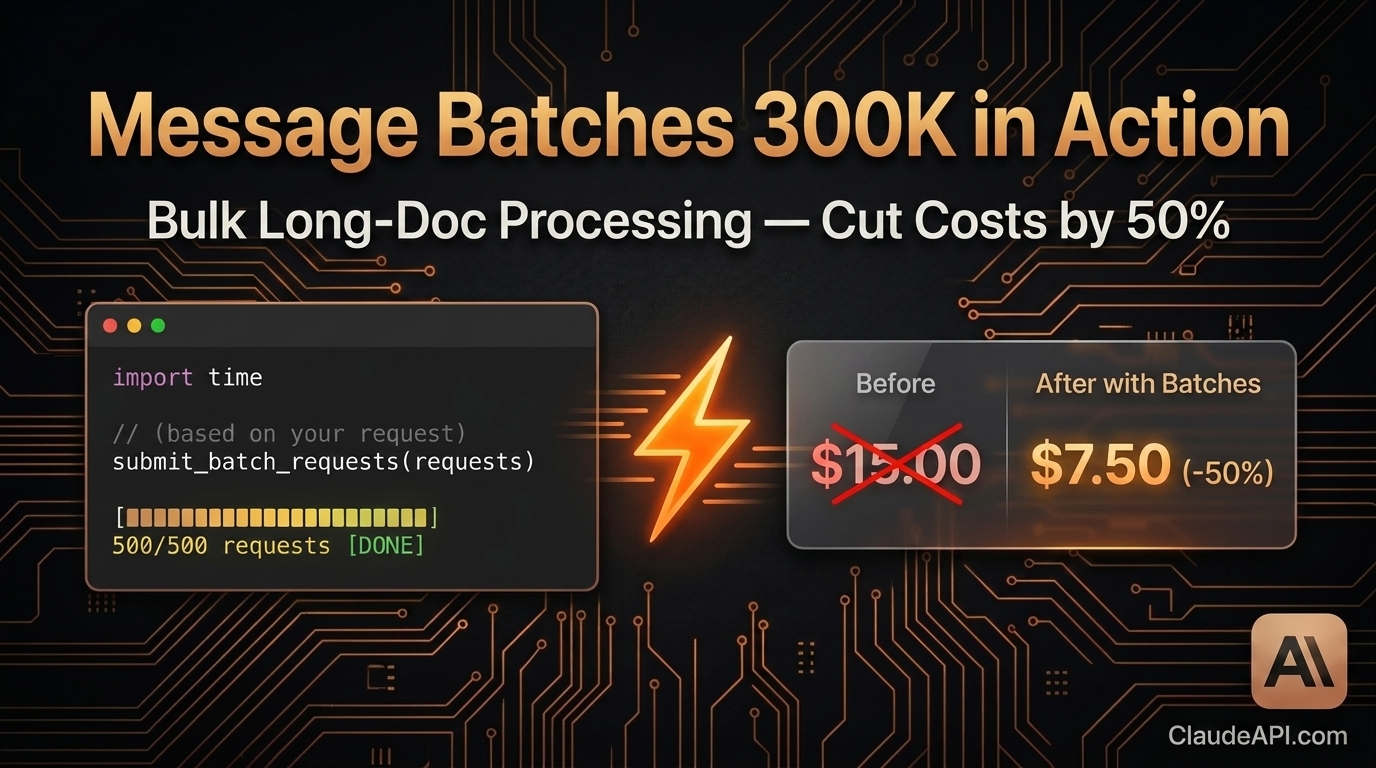
Message Batches with 300K Output: Cut Bulk Document Processing Costs by 50%
If your workflow involves generating hundreds of reports a day, processing thousands of contracts, or batch-analyzing large codebases — you’ve probably hit these two pain points:
- Calling the API one request at a time, constantly hitting rate limits, and watching your script crash halfway through
- Runaway costs — real-time API pricing adds up fast, and the bill after a single batch run makes you wince
Anthropic’s Message Batches API was built for exactly this. The latest version supports up to 300,000 output tokens per request, and with batch processing’s 50% discount, it’s one of the most cost-effective ways to handle bulk long-document tasks today.
This guide is hands-on. We’ll walk through a complete, working pipeline for batch-generating project analysis reports from scratch.
First Things First: What Is the Message Batches API?
The standard API is synchronous: send a request, wait for a response, get the result, send the next one.
The Batches API is asynchronous: submit up to 10,000 requests at once, Anthropic processes them in the background, and you retrieve the results later.
| Standard Messages API | Message Batches API | |
|---|---|---|
| Call pattern | Synchronous, one at a time | Asynchronous, bulk submit |
| Pricing | Standard rate | Standard rate × 50% |
| Max output per request | 8,192 tokens (default) | 300,000 tokens |
| Max requests per batch | 1 | 10,000 |
| Best for | Real-time interaction, low-latency needs | Bulk generation, offline processing |
| Result delivery | Immediate | Poll or wait for completion |
Bottom line: if your task doesn’t need a real-time response, you should be using the Batches API.
Hands-On: Batch-Generating 500 Project Analysis Reports
Say you have README files from 500 open-source projects and need a structured analysis report for each — covering tech stack evaluation, use cases, potential risks, and an overall recommendation score.
Setup
pip install anthropic
pip install anthropic
Get your API key from ClaudeAPI.com.
import anthropic
import json
import time

client = anthropic.Anthropic(
    api_key="your-api-key",
    base_url="https://api.claudeapi.com"  # ClaudeAPI.com endpoint
)
import anthropic
import json
import time

client = anthropic.Anthropic(
    api_key="your-api-key",
    base_url="https://api.claudeapi.com"  # ClaudeAPI.com endpoint
)
Step 1: Build the Batch Requests
def build_batch_requests(projects: list[dict]) -> list[dict]:
    """
    projects: [{"id": "proj_001", "name": "...", "readme": "..."}]
    """
    requests = []

    for project in projects:
        request = {
            "custom_id": project["id"],  # Your own ID — used to match results later
            "params": {
                "model": "claude-opus-4-6",
                "max_tokens": 300000,  # Up to 300K output tokens per request
                "messages": [
                    {
                        "role": "user",
                        "content": f"""Perform a deep analysis of the following open-source project and output a structured report:

Project name: {project['name']}

README contents:
{project['readme']}

Please structure your report as follows:

## Project Overview
(One-sentence summary of core functionality)

## Tech Stack Assessment
(List major technologies; evaluate maturity and community activity)

## Core Use Cases
(3–5 best-fit use cases)

## Risks & Limitations
(Tech debt, maintenance risks, scope boundaries)

## Overall Recommendation Score
(1–10, with justification)
"""
                    }
                ]
            }
        }
        requests.append(request)

    return requests
def build_batch_requests(projects: list[dict]) -> list[dict]:
    """
    projects: [{"id": "proj_001", "name": "...", "readme": "..."}]
    """
    requests = []

    for project in projects:
        request = {
            "custom_id": project["id"],  # Your own ID — used to match results later
            "params": {
                "model": "claude-opus-4-6",
                "max_tokens": 300000,  # Up to 300K output tokens per request
                "messages": [
                    {
                        "role": "user",
                        "content": f"""Perform a deep analysis of the following open-source project and output a structured report:

Project name: {project['name']}

README contents:
{project['readme']}

Please structure your report as follows:

## Project Overview
(One-sentence summary of core functionality)

## Tech Stack Assessment
(List major technologies; evaluate maturity and community activity)

## Core Use Cases
(3–5 best-fit use cases)

## Risks & Limitations
(Tech debt, maintenance risks, scope boundaries)

## Overall Recommendation Score
(1–10, with justification)
"""
                    }
                ]
            }
        }
        requests.append(request)

    return requests
Step 2: Submit the Batch
def submit_batch(projects: list[dict]) -> str:
    """Submit the batch and return the batch_id."""

    requests = build_batch_requests(projects)

    print(f"Submitting {len(requests)} requests...")

    batch = client.messages.batches.create(requests=requests)

    print(f"Batch submitted!")
    print(f"  Batch ID: {batch.id}")
    print(f"  Status: {batch.processing_status}")
    print(f"  Total requests: {batch.request_counts.processing}")

    return batch.id
def submit_batch(projects: list[dict]) -> str:
    """Submit the batch and return the batch_id."""

    requests = build_batch_requests(projects)

    print(f"Submitting {len(requests)} requests...")

    batch = client.messages.batches.create(requests=requests)

    print(f"Batch submitted!")
    print(f"  Batch ID: {batch.id}")
    print(f"  Status: {batch.processing_status}")
    print(f"  Total requests: {batch.request_counts.processing}")

    return batch.id
Step 3: Poll Until Complete
def wait_for_batch(batch_id: str, poll_interval: int = 60) -> None:
    """Poll batch status until processing ends."""

    print(f"\nWaiting for batch to complete (checking every {poll_interval}s)...")

    while True:
        batch = client.messages.batches.retrieve(batch_id)
        counts = batch.request_counts

        print(f"[{time.strftime('%H:%M:%S')}] Status: {batch.processing_status} | "
              f"Processing: {counts.processing} | "
              f"Succeeded: {counts.succeeded} | "
              f"Errored: {counts.errored}")

        if batch.processing_status == "ended":
            print(f"\nBatch complete!")
            print(f"  Succeeded: {counts.succeeded}")
            print(f"  Errored: {counts.errored}")
            print(f"  Expired: {counts.expired}")
            break

        time.sleep(poll_interval)
def wait_for_batch(batch_id: str, poll_interval: int = 60) -> None:
    """Poll batch status until processing ends."""

    print(f"\nWaiting for batch to complete (checking every {poll_interval}s)...")

    while True:
        batch = client.messages.batches.retrieve(batch_id)
        counts = batch.request_counts

        print(f"[{time.strftime('%H:%M:%S')}] Status: {batch.processing_status} | "
              f"Processing: {counts.processing} | "
              f"Succeeded: {counts.succeeded} | "
              f"Errored: {counts.errored}")

        if batch.processing_status == "ended":
            print(f"\nBatch complete!")
            print(f"  Succeeded: {counts.succeeded}")
            print(f"  Errored: {counts.errored}")
            print(f"  Expired: {counts.expired}")
            break

        time.sleep(poll_interval)
Step 4: Collect and Save Results
def collect_results(batch_id: str) -> dict[str, str]:
    """Collect all successful results."""

    results = {}
    errors = []

    for result in client.messages.batches.results(batch_id):
        custom_id = result.custom_id

        if result.result.type == "succeeded":
            # Extract text content
            content = result.result.message.content[0].text
            results[custom_id] = content

        elif result.result.type == "errored":
            error_msg = result.result.error.error.message
            errors.append({"id": custom_id, "error": error_msg})
            print(f"Request failed [{custom_id}]: {error_msg}")

    if errors:
        with open("batch_errors.json", "w", encoding="utf-8") as f:
            json.dump(errors, f, ensure_ascii=False, indent=2)
        print(f"\n{len(errors)} requests failed — details saved to batch_errors.json")

    return results


def save_reports(results: dict[str, str], output_dir: str = "reports") -> None:
    """Save each report as a separate file."""
    import os
    os.makedirs(output_dir, exist_ok=True)

    for custom_id, content in results.items():
        filepath = os.path.join(output_dir, f"{custom_id}.md")
        with open(filepath, "w", encoding="utf-8") as f:
            f.write(content)

    print(f"\n{len(results)} reports saved to {output_dir}/")
def collect_results(batch_id: str) -> dict[str, str]:
    """Collect all successful results."""

    results = {}
    errors = []

    for result in client.messages.batches.results(batch_id):
        custom_id = result.custom_id

        if result.result.type == "succeeded":
            # Extract text content
            content = result.result.message.content[0].text
            results[custom_id] = content

        elif result.result.type == "errored":
            error_msg = result.result.error.error.message
            errors.append({"id": custom_id, "error": error_msg})
            print(f"Request failed [{custom_id}]: {error_msg}")

    if errors:
        with open("batch_errors.json", "w", encoding="utf-8") as f:
            json.dump(errors, f, ensure_ascii=False, indent=2)
        print(f"\n{len(errors)} requests failed — details saved to batch_errors.json")

    return results


def save_reports(results: dict[str, str], output_dir: str = "reports") -> None:
    """Save each report as a separate file."""
    import os
    os.makedirs(output_dir, exist_ok=True)

    for custom_id, content in results.items():
        filepath = os.path.join(output_dir, f"{custom_id}.md")
        with open(filepath, "w", encoding="utf-8") as f:
            f.write(content)

    print(f"\n{len(results)} reports saved to {output_dir}/")
Full Pipeline
def main():
    # Sample data — in production, load from files or a database
    projects = [
        {
            "id": f"proj_{i:03d}",
            "name": f"Sample Project {i}",
            "readme": f"This is the README for project {i}..." * 100  # Simulating long text
        }
        for i in range(1, 501)  # 500 projects
    ]

    # 1. Submit the batch
    batch_id = submit_batch(projects)

    # Persist the batch_id in case the script crashes
    with open("batch_id.txt", "w") as f:
        f.write(batch_id)
    print(f"Batch ID saved to batch_id.txt")

    # 2. Wait for completion
    wait_for_batch(batch_id, poll_interval=60)

    # 3. Collect results
    results = collect_results(batch_id)

    # 4. Save reports
    save_reports(results)

    print("\nAll done!")


if __name__ == "__main__":
    main()
def main():
    # Sample data — in production, load from files or a database
    projects = [
        {
            "id": f"proj_{i:03d}",
            "name": f"Sample Project {i}",
            "readme": f"This is the README for project {i}..." * 100  # Simulating long text
        }
        for i in range(1, 501)  # 500 projects
    ]

    # 1. Submit the batch
    batch_id = submit_batch(projects)

    # Persist the batch_id in case the script crashes
    with open("batch_id.txt", "w") as f:
        f.write(batch_id)
    print(f"Batch ID saved to batch_id.txt")

    # 2. Wait for completion
    wait_for_batch(batch_id, poll_interval=60)

    # 3. Collect results
    results = collect_results(batch_id)

    # 4. Save reports
    save_reports(results)

    print("\nAll done!")


if __name__ == "__main__":
    main()
Crash Recovery: Picking Up Where You Left Off
Batches run server-side — if your local script crashes, processing continues uninterrupted. To resume:
# Recover from the saved batch_id
with open("batch_id.txt") as f:
    batch_id = f.read().strip()

# Check status and collect results
wait_for_batch(batch_id)
results = collect_results(batch_id)
save_reports(results)
# Recover from the saved batch_id
with open("batch_id.txt") as f:
    batch_id = f.read().strip()

# Check status and collect results
wait_for_batch(batch_id)
results = collect_results(batch_id)
save_reports(results)
Cost Breakdown: How Much Do You Save?
Using the 500-report example above, assuming an average of 2,000 output tokens per report:
| Approach | Output price | Total output tokens | Total cost |
|---|---|---|---|
| Standard Messages API (claude-opus-4-6) | $15 / 1M | 1,000,000 | $15.00 |
| Message Batches API | $7.5 / 1M | 1,000,000 | $7.50 |
| Savings | — | — | $7.50 (50%) |
The higher your volume, the bigger the savings. At 100M tokens per month, you save $750/month.
Access via ClaudeAPI.com for additional discounts on top of batch pricing. Direct access from anywhere, no VPN required.
Practical Tips
1. Use meaningful custom_id values
Use business IDs instead of sequential numbers — makes it much easier to match results:
"custom_id": f"contract_{contract_id}_v{version}"
"custom_id": f"contract_{contract_id}_v{version}"
2. Don’t max out batch size blindly
The per-batch limit is 10,000 requests, but consider splitting by business dimension (e.g., by department or date). This makes failed retries and result management far easier.
3. Retry only the failed requests
# Re-submit only the ones that failed
failed_ids = {e["id"] for e in errors}
failed_projects = [p for p in projects if p["id"] in failed_ids]
retry_batch_id = submit_batch(failed_projects)
# Re-submit only the ones that failed
failed_ids = {e["id"] for e in errors}
failed_projects = [p for p in projects if p["id"] in failed_ids]
retry_batch_id = submit_batch(failed_projects)
4. Results are available for 29 days
You have 29 days after submission to retrieve results — no rush.
When to Use the Batches API
- Daily scheduled report generation (finance, ops, sales)
- Bulk contract / document review and summarization
- Large-scale code review and comment generation
- Dataset labeling and classification
- Multilingual content translation at scale
- SEO content production
When NOT to use it: real-time chat, APIs requiring millisecond latency, user-facing UIs waiting on a response.
Summary
The Message Batches API’s 300K output limit + 50% discount cuts bulk long-document processing costs in half. The core workflow is four steps: Submit → Wait → Collect → Save — under 100 lines of code.
If your workload involves batch processing, there’s no reason to still be calling the synchronous API one request at a time.
Get your API key at ClaudeAPI.com and start your first batch job today.