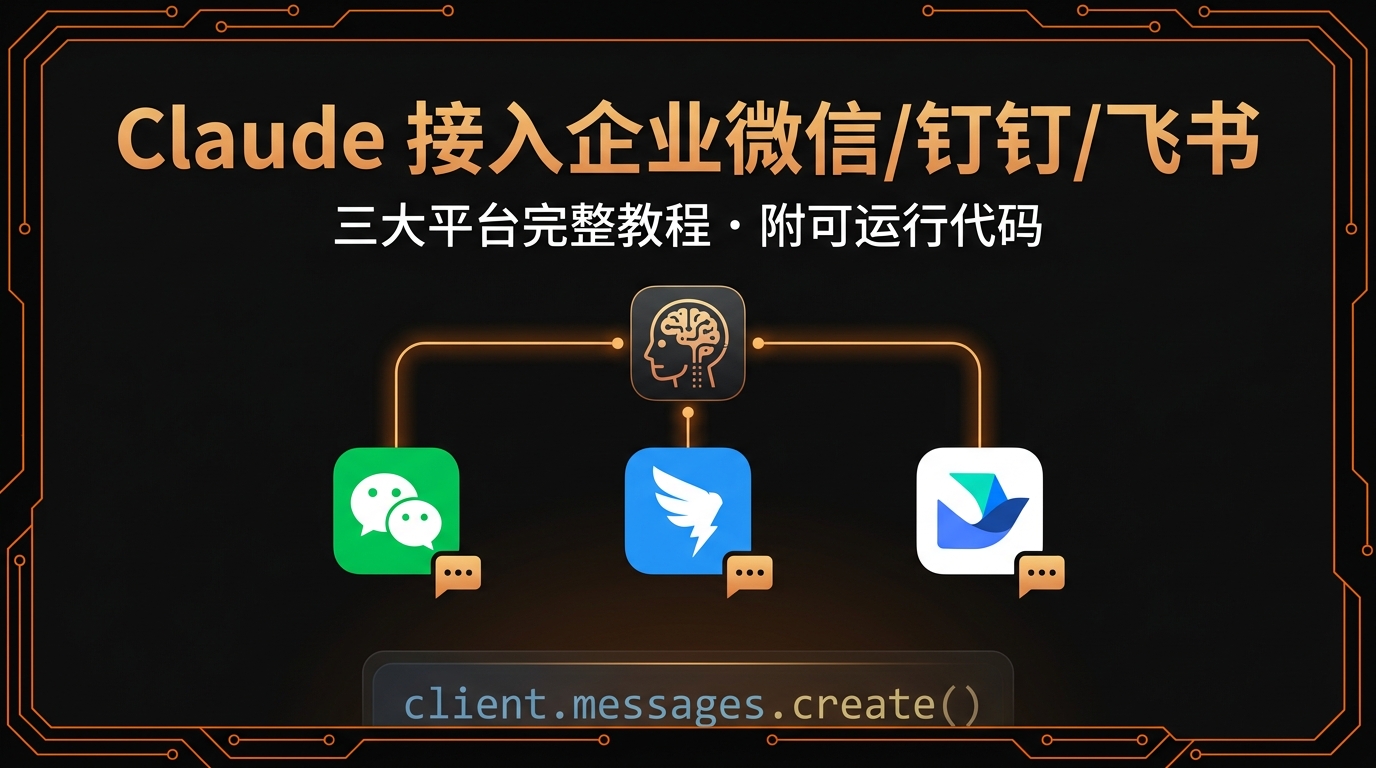
# Claude API 接入企业微信 / 钉钉 / 飞书机器人完整教程(2026)

> 三大国内办公平台一网打尽,附可直接部署的 Python 完整代码,
> 让团队在群聊中直接 @机器人 调用 Claude。

---

## 为什么要做这件事

把 Claude 接入企业 IM,你的团队可以:
- 在群里 @机器人 直接提问,无需切换工具
- 共享同一个 AI 助手,统一知识库
- 自动化处理日报、周报、会议纪要
- 代码审查、文档生成、翻译一键完成

**本教程覆盖三大平台:**

| 平台 | 机器人类型 | Webhook | 回调能力 |
|------|-----------|---------|---------|
| 企业微信 | 群机器人 / 应用 | ✅ | ✅ |
| 钉钉 | 自定义机器人 / 企业应用 | ✅ | ✅ |
| 飞书 | 自定义机器人 / 应用 | ✅ | ✅ |

---

## 准备工作

### 1. 获取 ClaudeAPI 密钥

```bash
# 注册地址
https://console.claudeapi.com/register

# 获取后设置环境变量
export ANTHROPIC_API_KEY="your-claudeapi-key"
export ANTHROPIC_BASE_URL="https://gw.claudeapi.com"
# Claude API 接入企业微信 / 钉钉 / 飞书机器人完整教程(2026)

> 三大国内办公平台一网打尽,附可直接部署的 Python 完整代码,
> 让团队在群聊中直接 @机器人 调用 Claude。

---

## 为什么要做这件事

把 Claude 接入企业 IM,你的团队可以:
- 在群里 @机器人 直接提问,无需切换工具
- 共享同一个 AI 助手,统一知识库
- 自动化处理日报、周报、会议纪要
- 代码审查、文档生成、翻译一键完成

**本教程覆盖三大平台:**

| 平台 | 机器人类型 | Webhook | 回调能力 |
|------|-----------|---------|---------|
| 企业微信 | 群机器人 / 应用 | ✅ | ✅ |
| 钉钉 | 自定义机器人 / 企业应用 | ✅ | ✅ |
| 飞书 | 自定义机器人 / 应用 | ✅ | ✅ |

---

## 准备工作

### 1. 获取 ClaudeAPI 密钥

```bash
# 注册地址
https://console.claudeapi.com/register

# 获取后设置环境变量
export ANTHROPIC_API_KEY="your-claudeapi-key"
export ANTHROPIC_BASE_URL="https://gw.claudeapi.com"
2. 准备服务器
需要一台可公网访问的服务器接收回调:
- 云服务器(阿里云 / 腾讯云 / AWS)
- 或使用 Serverless(云函数 / Vercel)
3. 安装依赖
pip install anthropic flask requests
pip install anthropic flask requests
第一部分:企业微信机器人
方案 A:群机器人(Webhook,仅发送)
适合单向通知场景,5 分钟搞定。
1. 创建群机器人
群聊 → 右上角设置 → 群机器人 → 添加 → 新建 → 复制 Webhook 地址
2. 发送消息代码
# wecom_webhook.py
import requests
import anthropic
import os

WECOM_WEBHOOK = "https://qyapi.weixin.qq.com/cgi-bin/webhook/send?key=YOUR_KEY"

client = anthropic.Anthropic(
    api_key=os.environ["ANTHROPIC_API_KEY"],
    base_url=os.environ.get("ANTHROPIC_BASE_URL", "https://gw.claudeapi.com"),
)

def ask_claude(question: str) -> str:
    response = client.messages.create(
        model="claude-sonnet-4-6",
        max_tokens=1024,
        messages=[{"role": "user", "content": question}]
    )
    return response.content[0].text

def send_to_wecom(content: str):
    requests.post(WECOM_WEBHOOK, json={
        "msgtype": "markdown",
        "markdown": {"content": content}
    })

# 示例:生成日报并发送到群
report = ask_claude("帮我写一份简短的技术团队日报模板")
send_to_wecom(f"**📋 今日 AI 日报**\n\n{report}")
# wecom_webhook.py
import requests
import anthropic
import os

WECOM_WEBHOOK = "https://qyapi.weixin.qq.com/cgi-bin/webhook/send?key=YOUR_KEY"

client = anthropic.Anthropic(
    api_key=os.environ["ANTHROPIC_API_KEY"],
    base_url=os.environ.get("ANTHROPIC_BASE_URL", "https://gw.claudeapi.com"),
)

def ask_claude(question: str) -> str:
    response = client.messages.create(
        model="claude-sonnet-4-6",
        max_tokens=1024,
        messages=[{"role": "user", "content": question}]
    )
    return response.content[0].text

def send_to_wecom(content: str):
    requests.post(WECOM_WEBHOOK, json={
        "msgtype": "markdown",
        "markdown": {"content": content}
    })

# 示例:生成日报并发送到群
report = ask_claude("帮我写一份简短的技术团队日报模板")
send_to_wecom(f"**📋 今日 AI 日报**\n\n{report}")
方案 B:企业微信应用(双向对话)
支持 @机器人 触发,真正的对话式交互。
1. 创建企业应用
企业微信管理后台 → 应用管理 → 创建应用 → 记录:
CorpID(企业 ID)AgentID(应用 ID)Secret(应用密钥)- 设置「接收消息」的回调 URL
2. 完整服务端代码
# wecom_app.py
from flask import Flask, request
import anthropic
import requests
import hashlib
import xml.etree.ElementTree as ET
import os

app = Flask(__name__)

# 企业微信配置
CORP_ID = "your_corp_id"
AGENT_ID = "your_agent_id"
SECRET = "your_secret"
TOKEN = "your_callback_token"
ENCODING_AES_KEY = "your_encoding_aes_key"

# Claude 配置
claude = anthropic.Anthropic(
    api_key=os.environ["ANTHROPIC_API_KEY"],
    base_url=os.environ.get("ANTHROPIC_BASE_URL", "https://gw.claudeapi.com"),
)

# 对话历史(生产环境建议用 Redis)
conversations = {}

def get_access_token():
    url = f"https://qyapi.weixin.qq.com/cgi-bin/gettoken?corpid={CORP_ID}&corpsecret={SECRET}"
    return requests.get(url).json()["access_token"]

def send_message(user_id: str, content: str):
    token = get_access_token()
    url = f"https://qyapi.weixin.qq.com/cgi-bin/message/send?access_token={token}"
    requests.post(url, json={
        "touser": user_id,
        "msgtype": "text",
        "agentid": AGENT_ID,
        "text": {"content": content}
    })

def ask_claude(user_id: str, question: str) -> str:
    # 维护多轮对话
    if user_id not in conversations:
        conversations[user_id] = []

    conversations[user_id].append({"role": "user", "content": question})

    # 只保留最近 10 轮
    messages = conversations[user_id][-20:]

    response = claude.messages.create(
        model="claude-sonnet-4-6",
        max_tokens=2048,
        system="你是企业内部的 AI 助手,回答要简洁专业。",
        messages=messages
    )

    reply = response.content[0].text
    conversations[user_id].append({"role": "assistant", "content": reply})

    return reply

@app.route("/wecom/callback", methods=["GET", "POST"])
def wecom_callback():
    if request.method == "GET":
        # URL 验证
        echostr = request.args.get("echostr", "")
        return echostr

    # 解析消息(简化版,生产环境需加密解密)
    xml_data = ET.fromstring(request.data)
    msg_type = xml_data.find("MsgType").text

    if msg_type == "text":
        user_id = xml_data.find("FromUserName").text
        content = xml_data.find("Content").text

        # 调用 Claude
        reply = ask_claude(user_id, content)
        send_message(user_id, reply)

    return "success"

if __name__ == "__main__":
    app.run(host="0.0.0.0", port=5000)
# wecom_app.py
from flask import Flask, request
import anthropic
import requests
import hashlib
import xml.etree.ElementTree as ET
import os

app = Flask(__name__)

# 企业微信配置
CORP_ID = "your_corp_id"
AGENT_ID = "your_agent_id"
SECRET = "your_secret"
TOKEN = "your_callback_token"
ENCODING_AES_KEY = "your_encoding_aes_key"

# Claude 配置
claude = anthropic.Anthropic(
    api_key=os.environ["ANTHROPIC_API_KEY"],
    base_url=os.environ.get("ANTHROPIC_BASE_URL", "https://gw.claudeapi.com"),
)

# 对话历史(生产环境建议用 Redis)
conversations = {}

def get_access_token():
    url = f"https://qyapi.weixin.qq.com/cgi-bin/gettoken?corpid={CORP_ID}&corpsecret={SECRET}"
    return requests.get(url).json()["access_token"]

def send_message(user_id: str, content: str):
    token = get_access_token()
    url = f"https://qyapi.weixin.qq.com/cgi-bin/message/send?access_token={token}"
    requests.post(url, json={
        "touser": user_id,
        "msgtype": "text",
        "agentid": AGENT_ID,
        "text": {"content": content}
    })

def ask_claude(user_id: str, question: str) -> str:
    # 维护多轮对话
    if user_id not in conversations:
        conversations[user_id] = []

    conversations[user_id].append({"role": "user", "content": question})

    # 只保留最近 10 轮
    messages = conversations[user_id][-20:]

    response = claude.messages.create(
        model="claude-sonnet-4-6",
        max_tokens=2048,
        system="你是企业内部的 AI 助手,回答要简洁专业。",
        messages=messages
    )

    reply = response.content[0].text
    conversations[user_id].append({"role": "assistant", "content": reply})

    return reply

@app.route("/wecom/callback", methods=["GET", "POST"])
def wecom_callback():
    if request.method == "GET":
        # URL 验证
        echostr = request.args.get("echostr", "")
        return echostr

    # 解析消息(简化版,生产环境需加密解密)
    xml_data = ET.fromstring(request.data)
    msg_type = xml_data.find("MsgType").text

    if msg_type == "text":
        user_id = xml_data.find("FromUserName").text
        content = xml_data.find("Content").text

        # 调用 Claude
        reply = ask_claude(user_id, content)
        send_message(user_id, reply)

    return "success"

if __name__ == "__main__":
    app.run(host="0.0.0.0", port=5000)
第二部分:钉钉机器人
方案 A:群机器人(Webhook)
1. 创建机器人
群设置 → 智能群助手 → 添加机器人 → 自定义 → 复制 Webhook + 记录加签密钥
2. 发送消息代码
# dingtalk_webhook.py
import requests
import anthropic
import time
import hmac
import hashlib
import base64
import urllib.parse
import os
# 钉钉配置
WEBHOOK = "https://oapi.dingtalk.com/robot/send?access_token=YOUR_TOKEN"
SECRET = "YOUR_SECRET" # 加签密钥
client = anthropic.Anthropic(
api_key=os.environ["ANTHROPIC_API_KEY"],
base_url=os.environ.get("ANTHROPIC_BASE_URL", "https://gw.claudeapi.com"),
)
def get_sign():
timestamp = str(round(time.time() * 1000))
secret_enc = SECRET.encode('utf-8')
string_to_sign = f'{timestamp}\n{SECRET}'
hmac_code = hmac.new(secret_enc, string_to_sign.encode('utf-8'), digestmod=hashlib.sha256).digest()
sign = urllib.parse.quote_plus(base64.b64encode(hmac_code))
return timestamp, sign
def send_to_dingtalk(content: str, at_all: bool = False):
timestamp, sign = get_sign()
url = f"{WEBHOOK}×tamp={timestamp}&sign={sign}"
requests.post(url, json={
"msgtype": "markdown",
"markdown": {
"title": "Claude AI",
"text": content
},
"at": {"isAtAll": at_all}
})
def ask_claude(question: str) -> str:
response = client.messages.create(
model="claude-sonnet-4-6",
max_tokens=1024,
messages=[{"role": "user", "content": question}]
)
return response.content[0].text
# 示例
answer = ask_claude("用三句话总结今天的 AI 行业新闻")
send_to_dingtalk(f"### 🤖 AI 助手\n\n{answer}")
# dingtalk_webhook.py
import requests
import anthropic
import time
import hmac
import hashlib
import base64
import urllib.parse
import os
# 钉钉配置
WEBHOOK = "https://oapi.dingtalk.com/robot/send?access_token=YOUR_TOKEN"
SECRET = "YOUR_SECRET" # 加签密钥
client = anthropic.Anthropic(
api_key=os.environ["ANTHROPIC_API_KEY"],
base_url=os.environ.get("ANTHROPIC_BASE_URL", "https://gw.claudeapi.com"),
)
def get_sign():
timestamp = str(round(time.time() * 1000))
secret_enc = SECRET.encode('utf-8')
string_to_sign = f'{timestamp}\n{SECRET}'
hmac_code = hmac.new(secret_enc, string_to_sign.encode('utf-8'), digestmod=hashlib.sha256).digest()
sign = urllib.parse.quote_plus(base64.b64encode(hmac_code))
return timestamp, sign
def send_to_dingtalk(content: str, at_all: bool = False):
timestamp, sign = get_sign()
url = f"{WEBHOOK}×tamp={timestamp}&sign={sign}"
requests.post(url, json={
"msgtype": "markdown",
"markdown": {
"title": "Claude AI",
"text": content
},
"at": {"isAtAll": at_all}
})
def ask_claude(question: str) -> str:
response = client.messages.create(
model="claude-sonnet-4-6",
max_tokens=1024,
messages=[{"role": "user", "content": question}]
)
return response.content[0].text
# 示例
answer = ask_claude("用三句话总结今天的 AI 行业新闻")
send_to_dingtalk(f"### 🤖 AI 助手\n\n{answer}")
方案 B:钉钉企业应用(双向对话)
1. 创建企业内部应用
钉钉开放平台 → 应用开发 → 企业内部开发 → 创建应用 → 开启机器人能力 → 配置消息接收地址
2. 完整服务端代码
# dingtalk_app.py
from flask import Flask, request, jsonify
import anthropic
import requests
import os

app = Flask(__name__)

# 钉钉配置
APP_KEY = "your_app_key"
APP_SECRET = "your_app_secret"

# Claude 配置
claude = anthropic.Anthropic(
    api_key=os.environ["ANTHROPIC_API_KEY"],
    base_url=os.environ.get("ANTHROPIC_BASE_URL", "https://gw.claudeapi.com"),
)

conversations = {}

def get_access_token():
    url = "https://oapi.dingtalk.com/gettoken"
    params = {"appkey": APP_KEY, "appsecret": APP_SECRET}
    return requests.get(url, params=params).json()["access_token"]

def send_message(user_id: str, content: str):
    token = get_access_token()
    url = f"https://oapi.dingtalk.com/topapi/message/corpconversation/asyncsend_v2?access_token={token}"
    requests.post(url, json={
        "agent_id": AGENT_ID,
        "userid_list": user_id,
        "msg": {
            "msgtype": "text",
            "text": {"content": content}
        }
    })

def ask_claude(user_id: str, question: str) -> str:
    if user_id not in conversations:
        conversations[user_id] = []

    conversations[user_id].append({"role": "user", "content": question})
    messages = conversations[user_id][-20:]

    response = claude.messages.create(
        model="claude-sonnet-4-6",
        max_tokens=2048,
        system="你是钉钉内部的 AI 助手,回答简洁实用。",
        messages=messages
    )

    reply = response.content[0].text
    conversations[user_id].append({"role": "assistant", "content": reply})
    return reply

@app.route("/dingtalk/callback", methods=["POST"])
def dingtalk_callback():
    data = request.json

    # 获取消息内容
    msg_type = data.get("msgtype")
    if msg_type == "text":
        user_id = data.get("senderStaffId")
        content = data.get("text", {}).get("content", "").strip()

        # 移除 @机器人 的部分
        content = content.replace("@Claude助手", "").strip()

        if content:
            reply = ask_claude(user_id, content)

            # 通过 Webhook 回复(或使用异步消息接口)
            webhook_url = data.get("sessionWebhook")
            if webhook_url:
                requests.post(webhook_url, json={
                    "msgtype": "text",
                    "text": {"content": reply}
                })

    return jsonify({"success": True})

if __name__ == "__main__":
    app.run(host="0.0.0.0", port=5001)
# dingtalk_app.py
from flask import Flask, request, jsonify
import anthropic
import requests
import os

app = Flask(__name__)

# 钉钉配置
APP_KEY = "your_app_key"
APP_SECRET = "your_app_secret"

# Claude 配置
claude = anthropic.Anthropic(
    api_key=os.environ["ANTHROPIC_API_KEY"],
    base_url=os.environ.get("ANTHROPIC_BASE_URL", "https://gw.claudeapi.com"),
)

conversations = {}

def get_access_token():
    url = "https://oapi.dingtalk.com/gettoken"
    params = {"appkey": APP_KEY, "appsecret": APP_SECRET}
    return requests.get(url, params=params).json()["access_token"]

def send_message(user_id: str, content: str):
    token = get_access_token()
    url = f"https://oapi.dingtalk.com/topapi/message/corpconversation/asyncsend_v2?access_token={token}"
    requests.post(url, json={
        "agent_id": AGENT_ID,
        "userid_list": user_id,
        "msg": {
            "msgtype": "text",
            "text": {"content": content}
        }
    })

def ask_claude(user_id: str, question: str) -> str:
    if user_id not in conversations:
        conversations[user_id] = []

    conversations[user_id].append({"role": "user", "content": question})
    messages = conversations[user_id][-20:]

    response = claude.messages.create(
        model="claude-sonnet-4-6",
        max_tokens=2048,
        system="你是钉钉内部的 AI 助手,回答简洁实用。",
        messages=messages
    )

    reply = response.content[0].text
    conversations[user_id].append({"role": "assistant", "content": reply})
    return reply

@app.route("/dingtalk/callback", methods=["POST"])
def dingtalk_callback():
    data = request.json

    # 获取消息内容
    msg_type = data.get("msgtype")
    if msg_type == "text":
        user_id = data.get("senderStaffId")
        content = data.get("text", {}).get("content", "").strip()

        # 移除 @机器人 的部分
        content = content.replace("@Claude助手", "").strip()

        if content:
            reply = ask_claude(user_id, content)

            # 通过 Webhook 回复(或使用异步消息接口)
            webhook_url = data.get("sessionWebhook")
            if webhook_url:
                requests.post(webhook_url, json={
                    "msgtype": "text",
                    "text": {"content": reply}
                })

    return jsonify({"success": True})

if __name__ == "__main__":
    app.run(host="0.0.0.0", port=5001)
第三部分:飞书机器人
方案 A:群机器人(Webhook)
1. 创建机器人
群设置 → 群机器人 → 添加机器人 → 自定义机器人 → 复制 Webhook
2. 发送消息代码
# feishu_webhook.py
import requests
import anthropic
import os

FEISHU_WEBHOOK = "https://open.feishu.cn/open-apis/bot/v2/hook/YOUR_TOKEN"

client = anthropic.Anthropic(
    api_key=os.environ["ANTHROPIC_API_KEY"],
    base_url=os.environ.get("ANTHROPIC_BASE_URL", "https://gw.claudeapi.com"),
)

def ask_claude(question: str) -> str:
    response = client.messages.create(
        model="claude-sonnet-4-6",
        max_tokens=1024,
        messages=[{"role": "user", "content": question}]
    )
    return response.content[0].text

def send_to_feishu(title: str, content: str):
    requests.post(FEISHU_WEBHOOK, json={
        "msg_type": "interactive",
        "card": {
            "header": {
                "title": {"tag": "plain_text", "content": title},
                "template": "blue"
            },
            "elements": [
                {
                    "tag": "markdown",
                    "content": content
                }
            ]
        }
    })

# 示例
answer = ask_claude("帮我写一段代码审查的通用检查清单")
send_to_feishu("🤖 Claude AI 助手", answer)
# feishu_webhook.py
import requests
import anthropic
import os

FEISHU_WEBHOOK = "https://open.feishu.cn/open-apis/bot/v2/hook/YOUR_TOKEN"

client = anthropic.Anthropic(
    api_key=os.environ["ANTHROPIC_API_KEY"],
    base_url=os.environ.get("ANTHROPIC_BASE_URL", "https://gw.claudeapi.com"),
)

def ask_claude(question: str) -> str:
    response = client.messages.create(
        model="claude-sonnet-4-6",
        max_tokens=1024,
        messages=[{"role": "user", "content": question}]
    )
    return response.content[0].text

def send_to_feishu(title: str, content: str):
    requests.post(FEISHU_WEBHOOK, json={
        "msg_type": "interactive",
        "card": {
            "header": {
                "title": {"tag": "plain_text", "content": title},
                "template": "blue"
            },
            "elements": [
                {
                    "tag": "markdown",
                    "content": content
                }
            ]
        }
    })

# 示例
answer = ask_claude("帮我写一段代码审查的通用检查清单")
send_to_feishu("🤖 Claude AI 助手", answer)
方案 B:飞书应用(双向对话)
1. 创建企业自建应用
飞书开放平台 → 创建企业自建应用 → 添加「机器人」能力 → 配置:
App IDApp Secret- 事件订阅 URL
- 订阅「接收消息」事件
2. 完整服务端代码
# feishu_app.py
from flask import Flask, request, jsonify
import anthropic
import requests
import os

app = Flask(__name__)

# 飞书配置
APP_ID = "your_app_id"
APP_SECRET = "your_app_secret"

# Claude 配置
claude = anthropic.Anthropic(
    api_key=os.environ["ANTHROPIC_API_KEY"],
    base_url=os.environ.get("ANTHROPIC_BASE_URL", "https://gw.claudeapi.com"),
)

conversations = {}

def get_tenant_access_token():
    url = "https://open.feishu.cn/open-apis/auth/v3/tenant_access_token/internal"
    resp = requests.post(url, json={
        "app_id": APP_ID,
        "app_secret": APP_SECRET
    })
    return resp.json()["tenant_access_token"]

def send_message(chat_id: str, content: str):
    token = get_tenant_access_token()
    url = "https://open.feishu.cn/open-apis/im/v1/messages"

    requests.post(url,
        headers={"Authorization": f"Bearer {token}"},
        params={"receive_id_type": "chat_id"},
        json={
            "receive_id": chat_id,
            "msg_type": "text",
            "content": f'{{"text": "{content}"}}'
        }
    )

def ask_claude(user_id: str, question: str) -> str:
    if user_id not in conversations:
        conversations[user_id] = []

    conversations[user_id].append({"role": "user", "content": question})
    messages = conversations[user_id][-20:]

    response = claude.messages.create(
        model="claude-sonnet-4-6",
        max_tokens=2048,
        system="你是飞书内部的 AI 助手,回答简洁专业,支持 Markdown 格式。",
        messages=messages
    )

    reply = response.content[0].text
    conversations[user_id].append({"role": "assistant", "content": reply})
    return reply

@app.route("/feishu/callback", methods=["POST"])
def feishu_callback():
    data = request.json

    # URL 验证
    if "challenge" in data:
        return jsonify({"challenge": data["challenge"]})

    # 处理消息事件
    event = data.get("event", {})
    message = event.get("message", {})

    if message.get("message_type") == "text":
        chat_id = message.get("chat_id")
        user_id = event.get("sender", {}).get("sender_id", {}).get("user_id")
        content = eval(message.get("content", "{}")).get("text", "")

        # 移除 @机器人
        if content:
            reply = ask_claude(user_id, content)
            send_message(chat_id, reply)

    return jsonify({"success": True})

if __name__ == "__main__":
    app.run(host="0.0.0.0", port=5002)
# feishu_app.py
from flask import Flask, request, jsonify
import anthropic
import requests
import os

app = Flask(__name__)

# 飞书配置
APP_ID = "your_app_id"
APP_SECRET = "your_app_secret"

# Claude 配置
claude = anthropic.Anthropic(
    api_key=os.environ["ANTHROPIC_API_KEY"],
    base_url=os.environ.get("ANTHROPIC_BASE_URL", "https://gw.claudeapi.com"),
)

conversations = {}

def get_tenant_access_token():
    url = "https://open.feishu.cn/open-apis/auth/v3/tenant_access_token/internal"
    resp = requests.post(url, json={
        "app_id": APP_ID,
        "app_secret": APP_SECRET
    })
    return resp.json()["tenant_access_token"]

def send_message(chat_id: str, content: str):
    token = get_tenant_access_token()
    url = "https://open.feishu.cn/open-apis/im/v1/messages"

    requests.post(url,
        headers={"Authorization": f"Bearer {token}"},
        params={"receive_id_type": "chat_id"},
        json={
            "receive_id": chat_id,
            "msg_type": "text",
            "content": f'{{"text": "{content}"}}'
        }
    )

def ask_claude(user_id: str, question: str) -> str:
    if user_id not in conversations:
        conversations[user_id] = []

    conversations[user_id].append({"role": "user", "content": question})
    messages = conversations[user_id][-20:]

    response = claude.messages.create(
        model="claude-sonnet-4-6",
        max_tokens=2048,
        system="你是飞书内部的 AI 助手,回答简洁专业,支持 Markdown 格式。",
        messages=messages
    )

    reply = response.content[0].text
    conversations[user_id].append({"role": "assistant", "content": reply})
    return reply

@app.route("/feishu/callback", methods=["POST"])
def feishu_callback():
    data = request.json

    # URL 验证
    if "challenge" in data:
        return jsonify({"challenge": data["challenge"]})

    # 处理消息事件
    event = data.get("event", {})
    message = event.get("message", {})

    if message.get("message_type") == "text":
        chat_id = message.get("chat_id")
        user_id = event.get("sender", {}).get("sender_id", {}).get("user_id")
        content = eval(message.get("content", "{}")).get("text", "")

        # 移除 @机器人
        if content:
            reply = ask_claude(user_id, content)
            send_message(chat_id, reply)

    return jsonify({"success": True})

if __name__ == "__main__":
    app.run(host="0.0.0.0", port=5002)
部署建议
方案一:云服务器部署
# 使用 gunicorn 生产部署
pip install gunicorn
gunicorn -w 4 -b 0.0.0.0:5000 wecom_app:app

# 配合 nginx 反向代理 + HTTPS
# 使用 gunicorn 生产部署
pip install gunicorn
gunicorn -w 4 -b 0.0.0.0:5000 wecom_app:app

# 配合 nginx 反向代理 + HTTPS
方案二:Serverless 部署
# 阿里云函数计算 / 腾讯云函数示例
# 将 Flask app 改为云函数入口

def handler(event, context):
    # 解析 event,调用 Claude,返回结果
    pass
# 阿里云函数计算 / 腾讯云函数示例
# 将 Flask app 改为云函数入口

def handler(event, context):
    # 解析 event,调用 Claude,返回结果
    pass
方案三:Docker 部署
FROM python:3.11-slim
WORKDIR /app
COPY requirements.txt .
RUN pip install -r requirements.txt
COPY . .
CMD ["gunicorn", "-w", "4", "-b", "0.0.0.0:5000", "app:app"]
FROM python:3.11-slim
WORKDIR /app
COPY requirements.txt .
RUN pip install -r requirements.txt
COPY . .
CMD ["gunicorn", "-w", "4", "-b", "0.0.0.0:5000", "app:app"]
进阶功能
1. 添加指令系统
COMMANDS = {
    "/help": "显示帮助信息",
    "/clear": "清除对话历史",
    "/model": "切换模型(sonnet/opus/haiku)",
}

def handle_command(user_id: str, cmd: str) -> str:
    if cmd == "/clear":
        conversations[user_id] = []
        return "✅ 对话历史已清除"
    elif cmd == "/help":
        return "\n".join([f"{k}: {v}" for k, v in COMMANDS.items()])
    return None
COMMANDS = {
    "/help": "显示帮助信息",
    "/clear": "清除对话历史",
    "/model": "切换模型(sonnet/opus/haiku)",
}

def handle_command(user_id: str, cmd: str) -> str:
    if cmd == "/clear":
        conversations[user_id] = []
        return "✅ 对话历史已清除"
    elif cmd == "/help":
        return "\n".join([f"{k}: {v}" for k, v in COMMANDS.items()])
    return None
2. 添加知识库
def ask_claude_with_context(user_id: str, question: str, kb_context: str) -> str:
    system = f"""你是企业内部 AI 助手。

以下是相关知识库内容:
{kb_context}

基于以上内容回答用户问题,如果知识库中没有相关信息,请如实说明。"""

    # ... 调用 Claude
def ask_claude_with_context(user_id: str, question: str, kb_context: str) -> str:
    system = f"""你是企业内部 AI 助手。

以下是相关知识库内容:
{kb_context}

基于以上内容回答用户问题,如果知识库中没有相关信息,请如实说明。"""

    # ... 调用 Claude
3. 流式输出(长回复分段发送)
def stream_response(user_id: str, question: str):
    buffer = ""
    with claude.messages.stream(
        model="claude-sonnet-4-6",
        max_tokens=2048,
        messages=[{"role": "user", "content": question}]
    ) as stream:
        for text in stream.text_stream:
            buffer += text
            if len(buffer) > 500:  # 每 500 字发送一次
                send_message(user_id, buffer)
                buffer = ""
        if buffer:
            send_message(user_id, buffer)
def stream_response(user_id: str, question: str):
    buffer = ""
    with claude.messages.stream(
        model="claude-sonnet-4-6",
        max_tokens=2048,
        messages=[{"role": "user", "content": question}]
    ) as stream:
        for text in stream.text_stream:
            buffer += text
            if len(buffer) > 500:  # 每 500 字发送一次
                send_message(user_id, buffer)
                buffer = ""
        if buffer:
            send_message(user_id, buffer)
常见问题
Q:三个平台哪个接入最简单?
Webhook 方案都很简单,5 分钟搞定。双向对话方案中,飞书文档最清晰,钉钉次之,企业微信加密机制最复杂。
Q:消息有长度限制吗?
- 企业微信:单条消息最长 2048 字符
- 钉钉:Markdown 消息最长 5000 字符
- 飞书:文本消息无明确限制,但建议分段发送长内容
Q:如何保证消息安全?
- 使用 HTTPS
- 验证回调签名(各平台都有签名机制)
- 敏感信息不要明文存储
- API Key 使用环境变量
Q:Claude 响应慢怎么办?
- 先回复「正在思考中…」,再异步发送结果
- 使用
claude-haiku-4-5-20251001加速简单问题 - 控制
max_tokens减少生成长度
总结
| 平台 | Webhook(单向) | 应用(双向) | 推荐场景 |
|---|---|---|---|
| 企业微信 | ⭐⭐⭐⭐⭐ 极简 | ⭐⭐⭐ 较复杂 | 微信生态企业 |
| 钉钉 | ⭐⭐⭐⭐⭐ 极简 | ⭐⭐⭐⭐ 中等 | 阿里系 / 中小企业 |
| 飞书 | ⭐⭐⭐⭐⭐ 极简 | ⭐⭐⭐⭐⭐ 简单 | 字节系 / 互联网团队 |
选择 Webhook 方案可以 5 分钟上线,选择应用方案可以实现完整的双向对话体验。
开始构建
支付宝 / 微信充值,国内直连,官方 8 折。