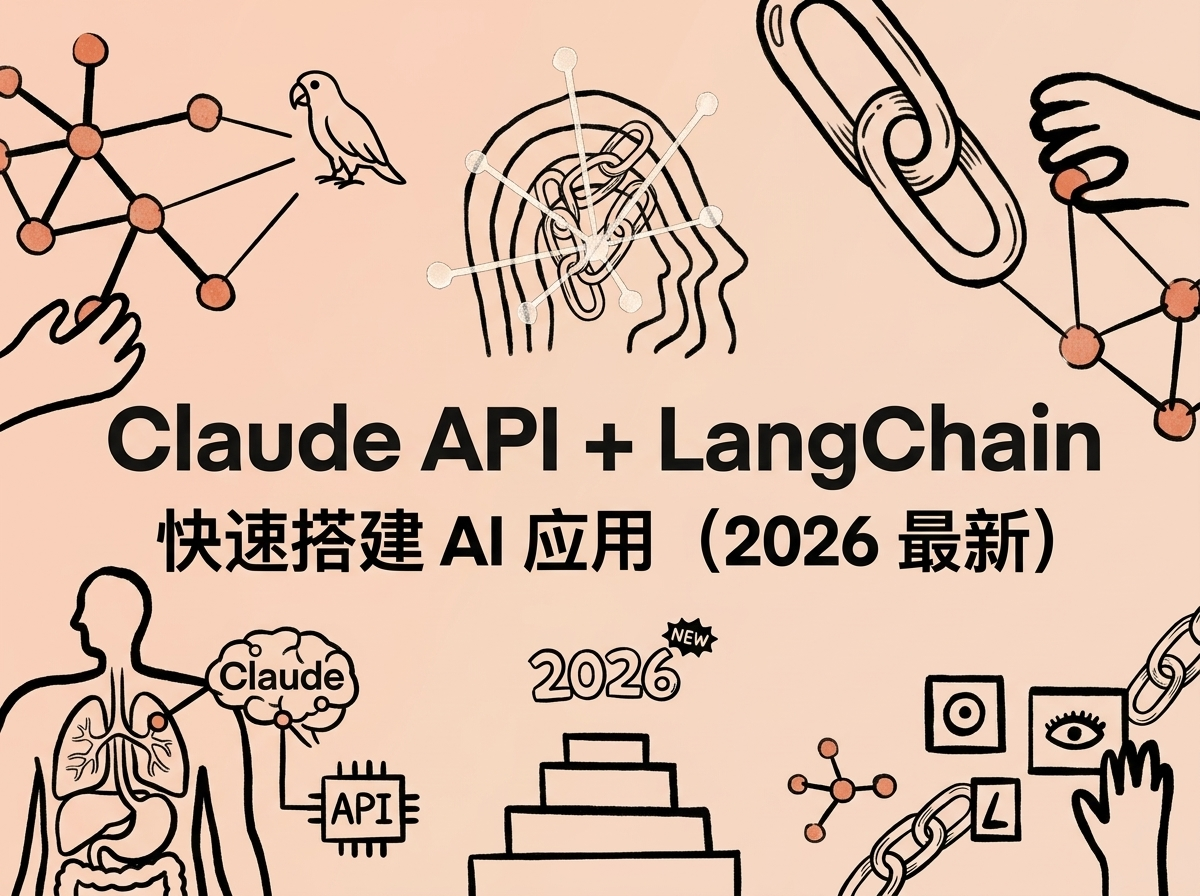
Claude API + LangChain 快速搭建 AI 应用(2026 最新)
LangChain 是目前最流行的大模型应用开发框架,而 Claude 是编程和推理能力最强的模型之一。两者结合,可以快速搭建从聊天机器人到智能 Agent 的各类 AI 应用。
本文通过 ClaudeAPI.com 解决国内接入问题,国内直连、支付宝充值、按量付费,带你从零跑通 LangChain + Claude 的 6 大核心场景。所有代码均已实测通过(langchain-anthropic 1.4.0),复制即可运行。
目录
一、环境准备
1.1 安装依赖
pip install langchain langchain-anthropic langchain-core
pip install langchain langchain-anthropic langchain-core
本文测试版本:langchain-anthropic 1.4.0 · langchain 1.2.14 · langchain-core 1.2.23
1.2 获取 API Key
通过 ClaudeAPI.com 获取,3 步搞定:
- 注册账号:访问 (https://www.claudeapi.com)注册账号
- 充值余额:支付宝/微信支付,5元即可完成全流程
- 获取Key:控制台 → 添加令牌 → 选择你想要的模型→ 复制Key
⚠️ API Key 只在创建时显示一次,请立即保存。格式为
sk-开头。
1.3 配置方式
推荐用环境变量管理 Key(Linux/macOS/windows):
export ANTHROPIC_API_KEY="sk-你的Key"
export ANTHROPIC_BASE_URL="https://gw.claudeapi.com"
export ANTHROPIC_API_KEY="sk-你的Key"
export ANTHROPIC_BASE_URL="https://gw.claudeapi.com"
或者在代码中直接传参:
from langchain_anthropic import ChatAnthropic

llm = ChatAnthropic(
    model="claude-sonnet-4-6",
    api_key="sk-你的Key",
    base_url="https://gw.claudeapi.com",  # 国内直连,无需代理
    max_tokens=1024
)
from langchain_anthropic import ChatAnthropic

llm = ChatAnthropic(
    model="claude-sonnet-4-6",
    api_key="sk-你的Key",
    base_url="https://gw.claudeapi.com",  # 国内直连,无需代理
    max_tokens=1024
)
关键参数说明:
| 参数 | 值 | 说明 |
|---|---|---|
model |
claude-sonnet-4-6 |
推荐日常使用,性价比最高 |
api_key |
sk-xxx |
在 claudeapi.com 获取的 Key |
base_url |
https://gw.claudeapi.com |
国内直连节点,无需代理 |
max_tokens |
1024 |
最大输出 Token 数,按需自行调整 |
1.4 可用模型
| 主力模型名称 | 定位 | 输入价格 | 输出价格 |
|---|---|---|---|
claude-sonnet-4-6 |
全能均衡,日常首选 | $3/百万 Token | $15/百万 Token |
claude-opus-4-6 |
最强推理,复杂任务 | $5/百万 Token | $25/百万 Token |
claude-haiku-4-5-20251001 |
极速轻量,简单任务 | $1/百万 Token | $5/百万 Token |
价格以 ClaudeAPI.com 后台实时显示为准。
二、基础调用
最简单的用法——直接调用 Claude: 创建一个工作文件,例如 demo.py
import os

from langchain_anthropic import ChatAnthropic

# ============ 第一步:基础调用 ============
llm = ChatAnthropic(
    model="claude-sonnet-4-6",
    api_key=os.environ.get("ANTHROPIC_API_KEY"),#复制你的Key填入
    base_url="https://gw.claudeapi.com",
    max_tokens=1024
)

response = llm.invoke("用一句话介绍 Python 的优势")
print(response.content)
import os

from langchain_anthropic import ChatAnthropic

# ============ 第一步:基础调用 ============
llm = ChatAnthropic(
    model="claude-sonnet-4-6",
    api_key=os.environ.get("ANTHROPIC_API_KEY"),#复制你的Key填入
    base_url="https://gw.claudeapi.com",
    max_tokens=1024
)

response = llm.invoke("用一句话介绍 Python 的优势")
print(response.content)
在命令框输入 python + 你的工作文件地址 运行结果示例:
Python 以简洁的语法和丰富的生态库,让开发者能快速实现从数据分析到 AI 开发的各类任务。
Python 以简洁的语法和丰富的生态库,让开发者能快速实现从数据分析到 AI 开发的各类任务。
invoke() 是最基本的调用方式,传入字符串或消息列表,返回完整的 AI 回复。
三、流式输出
当 AI 回复较长时,流式输出可以让用户实时看到生成过程: ##工作文件只需要改下面的部分即可
for chunk in llm.stream("列举 Python 最常用的 5 个内置库并简要说明"):
    print(chunk.content, end="", flush=True)
for chunk in llm.stream("列举 Python 最常用的 5 个内置库并简要说明"):
    print(chunk.content, end="", flush=True)
只需把 invoke() 换成 stream(),就能逐字输出。适合聊天界面、命令行工具等需要实时反馈的场景。
四、Prompt 模板 + Chain
实际应用中很少直接传字符串,更常见的是用 Prompt 模板管理提示词,用 Chain 串联处理流程:
from langchain_anthropic import ChatAnthropic
from langchain_core.prompts import ChatPromptTemplate

llm = ChatAnthropic(
    model="claude-sonnet-4-6",
    api_key="sk-你的Key",
    base_url="https://gw.claudeapi.com",
    max_tokens=1024
)

prompt = ChatPromptTemplate.from_messages([
    ("system", "你是一个资深 {language} 开发专家。用中文简洁回答问题。"),
    ("human", "{question}")
])

chain = prompt | llm
response = chain.invoke({"language": "Python", "question": "什么是列表推导式?"})
print(response.content)
from langchain_anthropic import ChatAnthropic
from langchain_core.prompts import ChatPromptTemplate

llm = ChatAnthropic(
    model="claude-sonnet-4-6",
    api_key="sk-你的Key",
    base_url="https://gw.claudeapi.com",
    max_tokens=1024
)

prompt = ChatPromptTemplate.from_messages([
    ("system", "你是一个资深 {language} 开发专家。用中文简洁回答问题。"),
    ("human", "{question}")
])

chain = prompt | llm
response = chain.invoke({"language": "Python", "question": "什么是列表推导式?"})
print(response.content)
核心概念:
ChatPromptTemplate:管理 system/user 消息模板,支持变量插值|管道符:LangChain 的 LCEL 语法,将多个组件串联成 Chainchain.invoke():传入变量字典,自动填充模板并调用模型
五、Tool Use(函数调用)
让 Claude 调用你定义的函数,是构建 AI Agent 的基础能力:
from langchain_anthropic import ChatAnthropic
from langchain_core.tools import tool

@tool
def get_weather(city: str) -> str:
    """获取指定城市的当前天气"""
    # 实际使用时替换为真实天气 API(如和风天气、心知天气)
    weather_data = {"北京": "晴天,25°C", "上海": "多云,22°C"}
    return weather_data.get(city, f"{city}:暂无数据")

llm = ChatAnthropic(
    model="claude-sonnet-4-6",
    api_key="sk-你的Key",
    base_url="https://gw.claudeapi.com",
    max_tokens=1024
)

llm_with_tools = llm.bind_tools([get_weather])
response = llm_with_tools.invoke("北京今天天气怎么样?")

if response.tool_calls:
    for tc in response.tool_calls:
        print(f"调用工具: {tc['name']}, 参数: {tc['args']}")
        result = get_weather.invoke(tc["args"])
        print(f"结果: {result}")
from langchain_anthropic import ChatAnthropic
from langchain_core.tools import tool

@tool
def get_weather(city: str) -> str:
    """获取指定城市的当前天气"""
    # 实际使用时替换为真实天气 API(如和风天气、心知天气)
    weather_data = {"北京": "晴天,25°C", "上海": "多云,22°C"}
    return weather_data.get(city, f"{city}:暂无数据")

llm = ChatAnthropic(
    model="claude-sonnet-4-6",
    api_key="sk-你的Key",
    base_url="https://gw.claudeapi.com",
    max_tokens=1024
)

llm_with_tools = llm.bind_tools([get_weather])
response = llm_with_tools.invoke("北京今天天气怎么样?")

if response.tool_calls:
    for tc in response.tool_calls:
        print(f"调用工具: {tc['name']}, 参数: {tc['args']}")
        result = get_weather.invoke(tc["args"])
        print(f"结果: {result}")
运行结果示例:
调用工具: get_weather, 参数: {'city': '北京'}
结果: 晴天,25°C
调用工具: get_weather, 参数: {'city': '北京'}
结果: 晴天,25°C
关键步骤:
- 用
@tool装饰器定义工具函数(docstring会作为工具描述传给 Claude) - 用
bind_tools()将工具绑定到 LLM - 检查
response.tool_calls获取工具调用请求
示例中的天气数据为 Mock 数据,生产环境请接入真实天气 API。
六、多轮对话
构建聊天机器人需要保持对话上下文:
from langchain_anthropic import ChatAnthropic
from langchain_core.messages import HumanMessage, AIMessage, SystemMessage

llm = ChatAnthropic(
    model="claude-sonnet-4-6",
    api_key="sk-你的Key",
    base_url="https://gw.claudeapi.com",
    max_tokens=1024
)

history = [SystemMessage(content="你是一个友好的中文助手。")]

def chat(user_input: str) -> str:
    history.append(HumanMessage(content=user_input))
    response = llm.invoke(history)
    history.append(AIMessage(content=response.content))
    return response.content

print(chat("我叫小明,我是 Python 开发者"))
print(chat("我叫什么名字?做什么工作的?"))
from langchain_anthropic import ChatAnthropic
from langchain_core.messages import HumanMessage, AIMessage, SystemMessage

llm = ChatAnthropic(
    model="claude-sonnet-4-6",
    api_key="sk-你的Key",
    base_url="https://gw.claudeapi.com",
    max_tokens=1024
)

history = [SystemMessage(content="你是一个友好的中文助手。")]

def chat(user_input: str) -> str:
    history.append(HumanMessage(content=user_input))
    response = llm.invoke(history)
    history.append(AIMessage(content=response.content))
    return response.content

print(chat("我叫小明,我是 Python 开发者"))
print(chat("我叫什么名字?做什么工作的?"))
运行结果示例:
你好小明!很高兴认识你,Python 是一门非常优秀的编程语言,有什么可以帮助你的?
你叫小明,是一位 Python 开发者。
你好小明!很高兴认识你,Python 是一门非常优秀的编程语言,有什么可以帮助你的?
你叫小明,是一位 Python 开发者。
💡 对话越长,消耗的 Token 越多。生产环境中建议限制历史轮数(如只保留最近 10 轮)。
七、结构化输出
让 Claude 返回结构化的 JSON 数据,方便程序处理:
from langchain_anthropic import ChatAnthropic
from langchain_core.output_parsers import JsonOutputParser
from langchain_core.prompts import ChatPromptTemplate

llm = ChatAnthropic(
    model="claude-sonnet-4-6",
    api_key="sk-你的Key",
    base_url="https://gw.claudeapi.com",
    max_tokens=1024
)

parser = JsonOutputParser()
prompt = ChatPromptTemplate.from_messages([
    ("system", "严格返回 JSON 格式,不要包含其他文字。"),
    ("human", "生成一个虚拟用户,包含 name、age、city、hobby 四个字段。")
])

chain = prompt | llm | parser
result = chain.invoke({})

print("返回类型:", type(result).__name__)
print("完整内容:", result)
print("取值示例 -> name:", result["name"], "| city:", result["city"])
from langchain_anthropic import ChatAnthropic
from langchain_core.output_parsers import JsonOutputParser
from langchain_core.prompts import ChatPromptTemplate

llm = ChatAnthropic(
    model="claude-sonnet-4-6",
    api_key="sk-你的Key",
    base_url="https://gw.claudeapi.com",
    max_tokens=1024
)

parser = JsonOutputParser()
prompt = ChatPromptTemplate.from_messages([
    ("system", "严格返回 JSON 格式,不要包含其他文字。"),
    ("human", "生成一个虚拟用户,包含 name、age、city、hobby 四个字段。")
])

chain = prompt | llm | parser
result = chain.invoke({})

print("返回类型:", type(result).__name__)
print("完整内容:", result)
print("取值示例 -> name:", result["name"], "| city:", result["city"])
运行结果示例:
{'name': '李明', 'age': 28, 'city': '成都', 'hobby': '摄影'}
{'name': '李明', 'age': 28, 'city': '成都', 'hobby': '摄影'}
JsonOutputParser 会自动提取 Claude 回复中的 JSON 并解析为 Python 字典。
八、实战:命令行聊天机器人
把前面学到的功能整合,搭建一个带多轮对话 + 流式输出的聊天机器人:
from langchain_anthropic import ChatAnthropic
from langchain_core.messages import HumanMessage, AIMessage, SystemMessage

def create_chatbot():
    llm = ChatAnthropic(
        model="claude-sonnet-4-6",
        api_key="sk-你的Key",
        base_url="https://gw.claudeapi.com",
        max_tokens=2048
    )
    history = [SystemMessage(content="你是一个专业的编程助手。用中文回答。")]

    print("=" * 50)
    print("  Claude 编程助手 (输入 quit 退出)")
    print("  Powered by ClaudeAPI.com")
    print("=" * 50)

    while True:
        user_input = input("\n你: ").strip()
        if user_input.lower() in ("quit", "exit", "q"):
            print("再见!")
            break
        if not user_input:
            continue
        history.append(HumanMessage(content=user_input))
        print("\nClaude: ", end="", flush=True)
        full = ""
        for chunk in llm.stream(history):
            print(chunk.content, end="", flush=True)
            full += chunk.content
        print()
        history.append(AIMessage(content=full))
        # 限制历史长度:保留 SystemMessage + 最近 20 轮对话
        if len(history) > 41:
            history = [history[0]] + history[-40:]

if __name__ == "__main__":
    create_chatbot()
from langchain_anthropic import ChatAnthropic
from langchain_core.messages import HumanMessage, AIMessage, SystemMessage

def create_chatbot():
    llm = ChatAnthropic(
        model="claude-sonnet-4-6",
        api_key="sk-你的Key",
        base_url="https://gw.claudeapi.com",
        max_tokens=2048
    )
    history = [SystemMessage(content="你是一个专业的编程助手。用中文回答。")]

    print("=" * 50)
    print("  Claude 编程助手 (输入 quit 退出)")
    print("  Powered by ClaudeAPI.com")
    print("=" * 50)

    while True:
        user_input = input("\n你: ").strip()
        if user_input.lower() in ("quit", "exit", "q"):
            print("再见!")
            break
        if not user_input:
            continue
        history.append(HumanMessage(content=user_input))
        print("\nClaude: ", end="", flush=True)
        full = ""
        for chunk in llm.stream(history):
            print(chunk.content, end="", flush=True)
            full += chunk.content
        print()
        history.append(AIMessage(content=full))
        # 限制历史长度:保留 SystemMessage + 最近 20 轮对话
        if len(history) > 41:
            history = [history[0]] + history[-40:]

if __name__ == "__main__":
    create_chatbot()
保存为 chatbot.py,运行 python chatbot.py 即可体验。
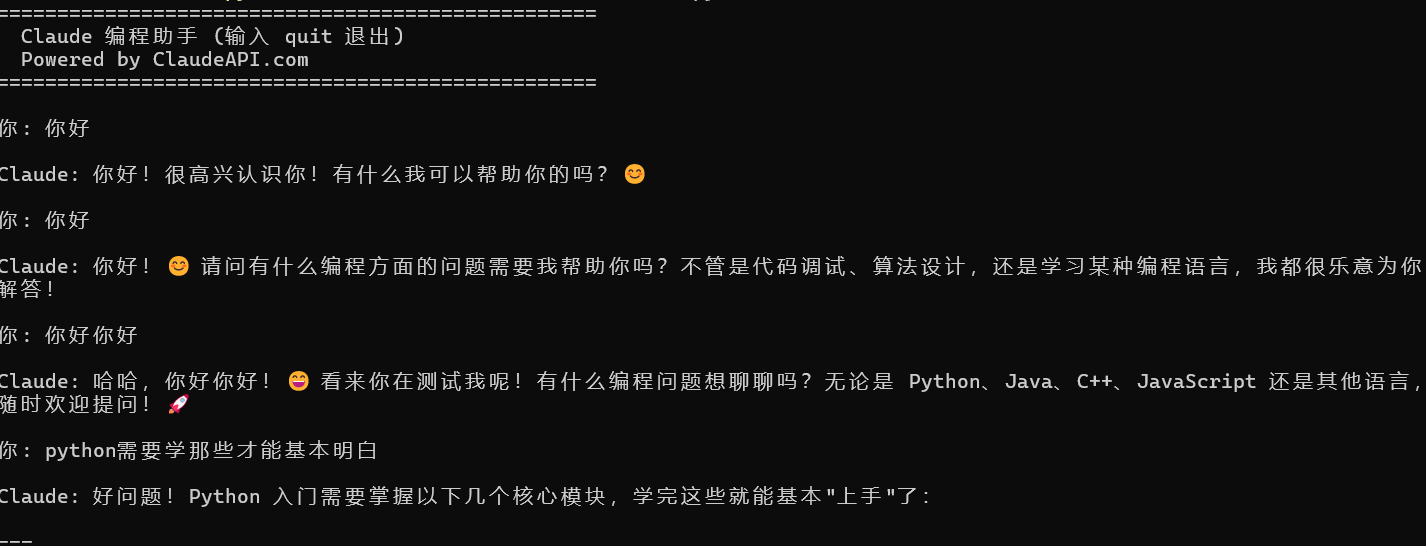
代码亮点:
- 流式输出:
llm.stream(history)逐字打印,响应更流畅 - 历史限制:超过 20 轮自动裁剪,避免 Token 超限
- System 消息保留:裁剪时始终保留第一条系统指令
九、进阶方向
掌握 6 大核心场景后,可以向以下方向深入:
| 方向 | 说明 | 适用场景 |
|---|---|---|
| RAG(检索增强生成) | LangChain + 向量数据库 + Claude | 企业知识库、文档问答 |
| Agent | 让 Claude 自主规划和执行多步任务 | 自动化工作流、数据分析 |
| LangGraph | 构建有状态的多步骤 AI 工作流 | 复杂业务流程 |
| LangServe | 一键将 Chain 部署为 REST API | 后端服务集成 |
| 多模型路由 | 简单任务用 Haiku,复杂任务用 Opus | 成本优化 |
十、总结
通过本文你已经学会了 LangChain + Claude API 的 6 大核心场景:
- 基础调用 —
invoke()一行搞定 - 流式输出 —
stream()实时返回 - Prompt 模板 + Chain — 管理提示词,串联流程
- Tool Use — 让 Claude 调用你的函数
- 多轮对话 — 维护上下文的聊天机器人
- 结构化输出 — 返回 JSON 格式数据
所有代码的关键配置只有两个参数:
api_key="sk-你的Key"                    # 在 ClaudeAPI.com 获取
base_url="https://gw.claudeapi.com"    # 国内直连,无需代理
api_key="sk-你的Key"                    # 在 ClaudeAPI.com 获取
base_url="https://gw.claudeapi.com"    # 国内直连,无需代理
立即开始:访问 ((https://claudeapi.com)) 注册获取 API Key,支付宝/微信充值即可使用,5 分钟跑通第一个 LangChain + Claude 应用。
常见问题 FAQ
Q:langchain-anthropic 和 anthropic 有什么区别?
anthropic 是 Anthropic 官方 SDK,直接调用底层 API;langchain-anthropic 是 LangChain 的封装层,继承了 ChatAnthropic 类,可以与 LangChain 生态(Prompt、Chain、Tool、Parser 等)无缝配合。实际使用时两者可共存,不冲突。
Q:base_url 只改这一个地方就够了吗?
是的,所有 ChatAnthropic 实例都加上 base_url="https://gw.claudeapi.com" 即可,其余代码一行不动,完全兼容 Anthropic 原生 SDK 格式。
Q:Tool Use 的工具函数可以是异步的吗?
可以。将工具函数定义为 async def,并配合 ainvoke() / astream() 使用即可。适合接口请求、数据库查询等 I/O 密集型场景。
Q:多轮对话消耗 Token 太多怎么办?
三种常见方案:① 限制历史轮数(本文示例保留最近 20 轮);② 定期对历史做摘要压缩;③ 针对不同轮次使用不同模型(前几轮用 Haiku,关键轮用 Sonnet)。
Q:JsonOutputParser 解析失败怎么处理?
Claude 偶尔会在 JSON 前后添加说明文字导致解析失败。解决方式:① 在 system prompt 中强调"只返回 JSON,不要有其他内容";② 捕获 OutputParserException 并重试;③ 改用 with_structured_output() 方法(LangChain 1.x 新增,更稳定)。
Q:国内运行提示连接超时怎么办?
检查 base_url 是否正确设置为 https://gw.claudeapi.com,同时确保代码中清空了代理环境变量:
import os
for key in ["HTTP_PROXY", "HTTPS_PROXY", "http_proxy", "https_proxy", "ALL_PROXY", "all_proxy"]:
    os.environ[key] = ""
import os
for key in ["HTTP_PROXY", "HTTPS_PROXY", "http_proxy", "https_proxy", "ALL_PROXY", "all_proxy"]:
    os.environ[key] = ""
相关阅读
发布于 2026-04 · 预计阅读 10 分钟 · Claude API 技术教程