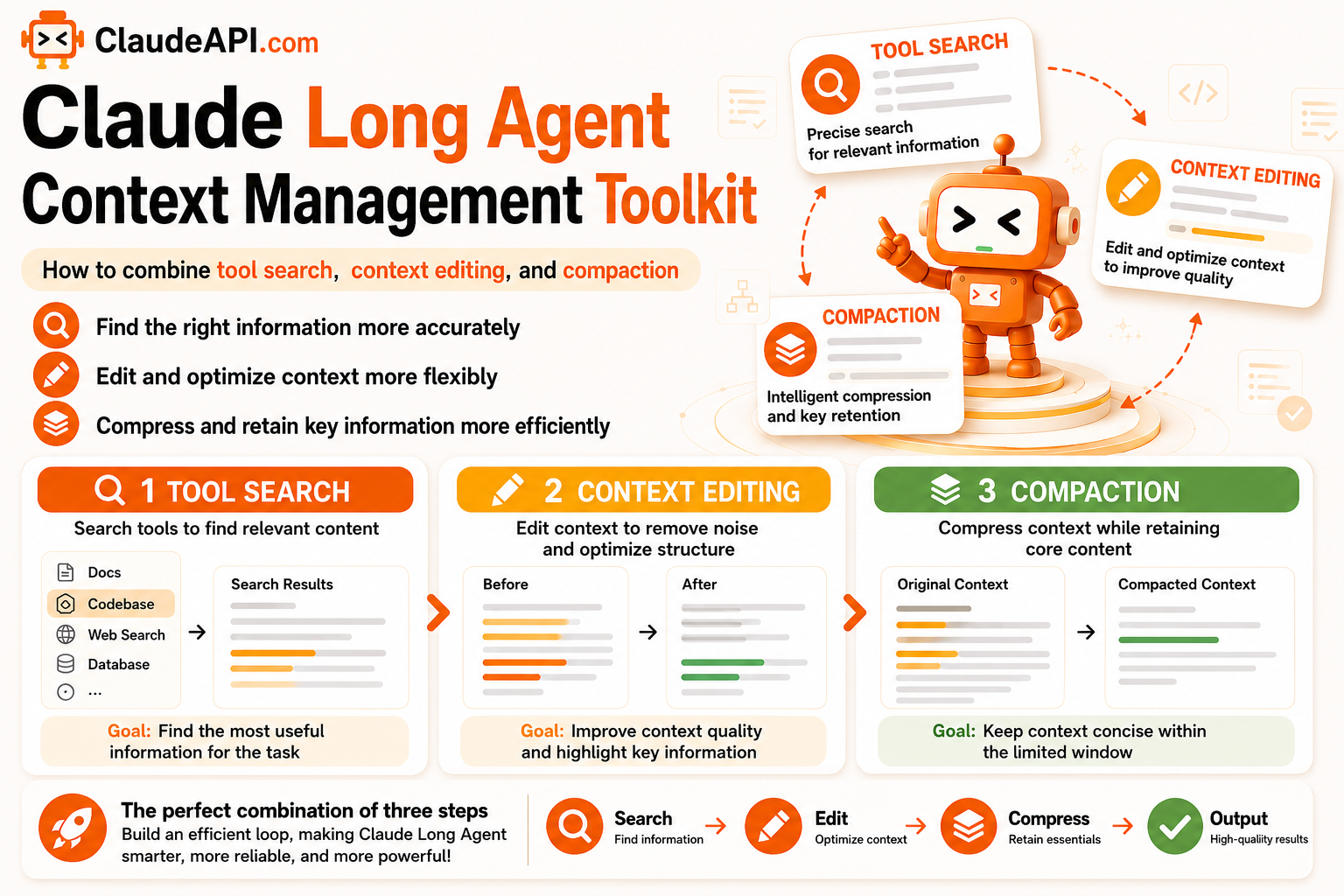
Claude Long-Agent Context Management Toolkit: How to Combine Tool Search, Context Editing, and Compaction
Anyone who has run a long-horizon Agent has seen this problem: the task is not finished, but the context window fills up first. Tool definitions and accumulated
tool_resultblocks gradually eat away at the available context. The Claude API provides three ways to deal with this. They solve problems at different points in the pipeline, and they can be used together. This article explains what each method handles, when to use it, and how to combine it with prompt caching without breaking cache hits.
1. The Problem: How Context Gets Bloated
Long-Agent context usage mainly comes from two places:
- Tool definitions: The more tools you have, the longer the tool descriptions that must be sent with every request.
- Accumulated tool_result blocks: A long Agent loop may produce hundreds of intermediate results. They were useful at the time, but later become dead weight while still occupying context.
These three methods solve the problem at different points, and they compose:
| Method | What it solves | When to use it |
|---|---|---|
| Tool search | Tool definition overhead | When your tool set exceeds roughly 20 tools, or baseline context usage becomes noticeable |
| Context editing | Accumulated old tool_result blocks | When long loops produce many intermediate results |
| Compaction | Context window nearing its limit | When a task spans more than a single context window |
| Prompt caching | Does not reduce tokens, but lowers recomputation cost | When the tool set is large but stable |
2. Tool Search: Load Tools on Demand
When a tool set grows beyond a certain size, stuffing every tool definition into every request becomes wasteful. Tool search lets the model retrieve the tools it needs on demand, instead of loading everything upfront.
A practical threshold: when your tool set exceeds roughly 20 tools, or when baseline context usage becomes obvious, it is time to use tool search.
3. Context Editing: Remove Stale tool_result Blocks
In a long Agent loop, early tool results often become irrelevant in later steps. For example, the Agent may read a file in step 3, but by step 50 that content may no longer matter. Context editing removes old tool_result blocks that have already served their purpose from the conversation history, freeing space without restarting the session.
The key point is that it does not interrupt session continuity: the model keeps going, but dead weight in the history is cleared out.
4. Compaction: Summarize and Continue When the Window Is Nearly Full
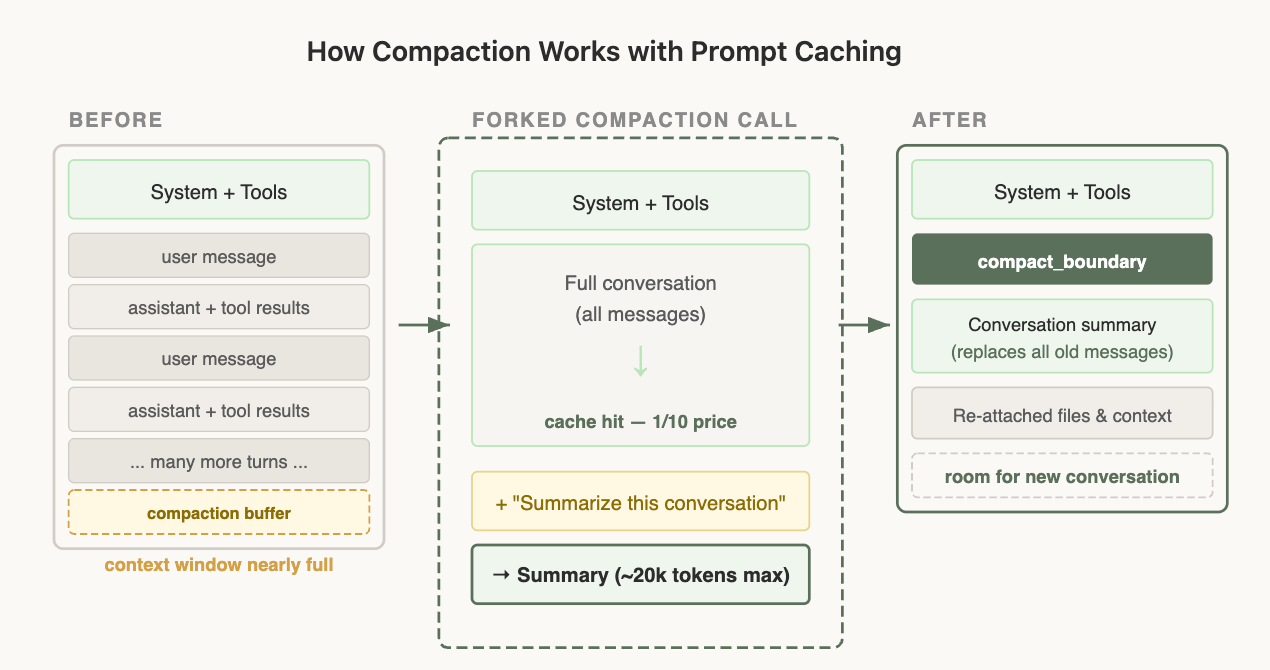
Compaction is what happens when you are about to hit the context window limit: the conversation so far is summarized, and a new session continues from that summary.
There is one trick here that is critical for caching. During compaction, the Claude API reuses the exact same system prompt, user context, system context, and tool definitions as the parent session:
Last request in the parent session:
  [system prompt][tools][history messages 1..N]

Request after compaction:
  [system prompt][tools][history messages 1..N][compaction prompt]
  └─────────── identical prefix ───────────┘   └─ only new tokens ─┘
Last request in the parent session:
  [system prompt][tools][history messages 1..N]

Request after compaction:
  [system prompt][tools][history messages 1..N][compaction prompt]
  └─────────── identical prefix ───────────┘   └─ only new tokens ─┘
From the API’s perspective, this request has almost the same prefix as the final request in the parent session: the same prefix, the same tools, and the same history. That means the cached prefix can still be hit, and the only new tokens are from the compaction prompt itself. This is the key to lowering costs for long-running Agents: compress context without losing the cache.
5. Combining All Four: A Complete Long-Agent Setup
Stacking all four techniques together with prompt caching is the recommended setup for long Agents. claudeapi.com is compatible with the Anthropic SDK, so you only need to replace base_url:
from anthropic import Anthropic

client = Anthropic(
    api_key="sk-...",                      # Get this from the claudeapi.com console
    base_url="https://gw.claudeapi.com",   # Smooth integration: only replace base_url
)

# Stable tool definitions -> cache them and reuse the prefix across thousands of requests
TOOLS = [
    # ... your tool set ...
]
# Mark cache_control on the final tool
TOOLS[-1]["cache_control"] = {"type": "ephemeral"}

resp = client.messages.create(
    model="claude-sonnet-4-6",
    max_tokens=2048,
    system=[
        {
            "type": "text",
            "text": "<stable system instructions / background knowledge>",
            "cache_control": {"type": "ephemeral"},
        }
    ],
    tools=TOOLS,
    messages=conversation,   # History that grows during the loop
)
from anthropic import Anthropic

client = Anthropic(
    api_key="sk-...",                      # Get this from the claudeapi.com console
    base_url="https://gw.claudeapi.com",   # Smooth integration: only replace base_url
)

# Stable tool definitions -> cache them and reuse the prefix across thousands of requests
TOOLS = [
    # ... your tool set ...
]
# Mark cache_control on the final tool
TOOLS[-1]["cache_control"] = {"type": "ephemeral"}

resp = client.messages.create(
    model="claude-sonnet-4-6",
    max_tokens=2048,
    system=[
        {
            "type": "text",
            "text": "<stable system instructions / background knowledge>",
            "cache_control": {"type": "ephemeral"},
        }
    ],
    tools=TOOLS,
    messages=conversation,   # History that grows during the loop
)
How the methods divide responsibilities:
- Large but stable tool set → Use prompt caching. Cache once, then reuse the prefix. It does not reduce tokens, but lowers recomputation cost on later requests to 10%.
- Large tool set that also needs context reduction → Add tool search.
- Loop produces many intermediate results → Add context editing to clean them up.
- Task exceeds one context window → Use compaction to summarize and continue, while keeping the prefix consistent to preserve cache hits.
6. Hard Rules for Keeping Cache Hits
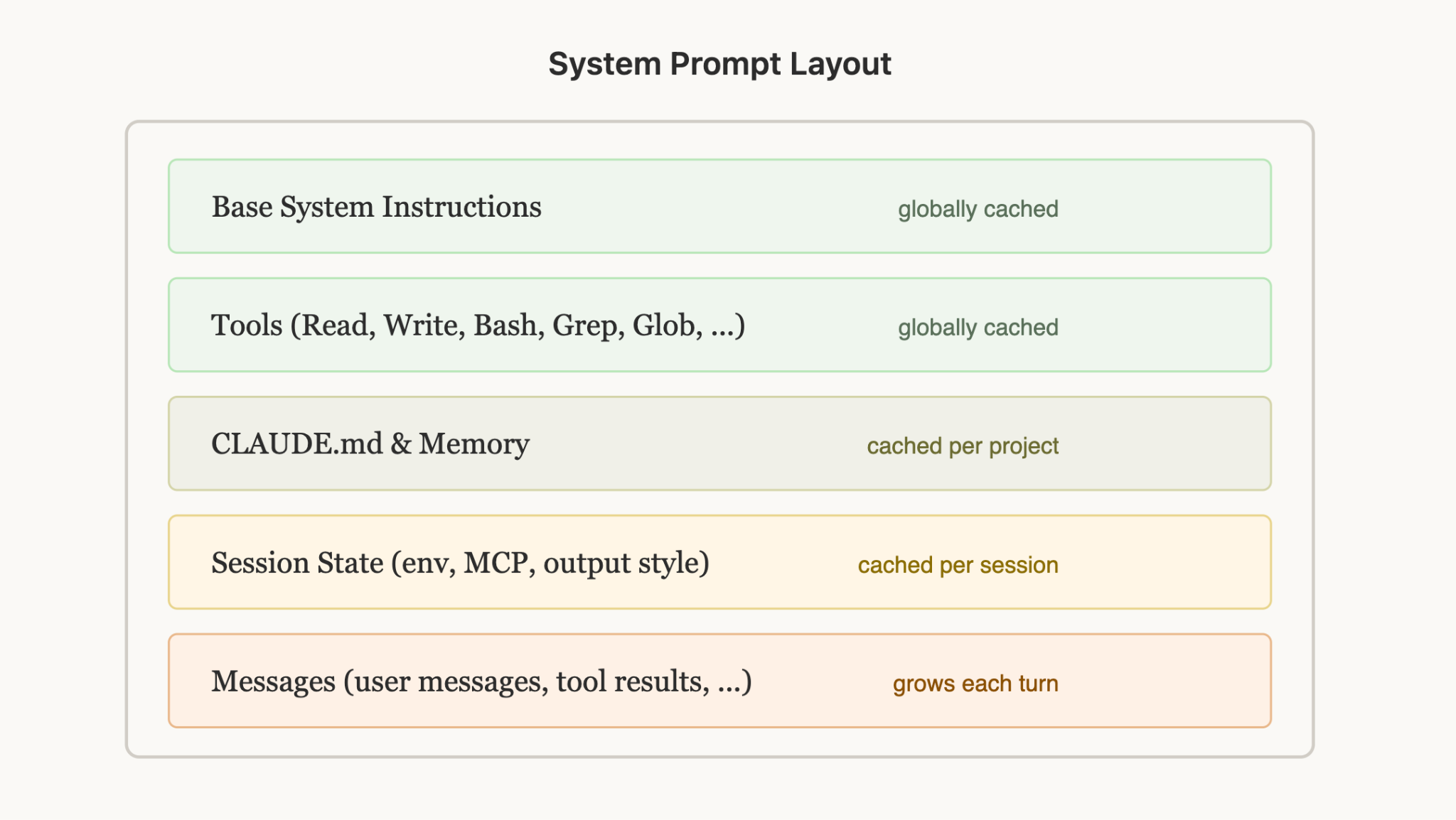
When context management and prompt caching are used together, cache hits require the prefix to be byte-for-byte identical. A few rules are easy to get wrong:
| Rule | Why |
|---|---|
| Never add or remove tools in the middle of a session | Tool definitions sit at the top of the cache hierarchy. Once they change, everything after them is invalidated |
| Put dynamic content such as dates or user IDs in user messages, not system prompts | Hardcoding dates in the system prompt can invalidate the cache every midnight |
| Keep JSON key ordering stable | Languages such as Go and Swift may serialize keys in random order, causing the cache to miss every time |
| Meet the token minimum: Sonnet 4.6 requires ≥4096 tokens per checkpoint | If the prefix is too short, caching may be silently skipped without an error |
To verify whether the cache is actually being hit, check these fields in the response:
print(resp.usage.cache_creation_input_tokens)  # First write should be > 0
print(resp.usage.cache_read_input_tokens)       # Later cache hits should be > 0
print(resp.usage.cache_creation_input_tokens)  # First write should be > 0
print(resp.usage.cache_read_input_tokens)       # Later cache hits should be > 0
7. Summary
- The long-Agent context management toolkit is: tool search for loading tools on demand, context editing for removing stale tool results, and compaction for summarizing and continuing when the window fills up. They can be stacked.
- With prompt caching, the most cost-effective move for a large but stable tool set is reusing the cached prefix.
- Compaction must keep the prefix consistent to hit the cache. Never change the tool set mid-session.
For model pricing, 1M context, and prompt caching support, see claudeapi.com. The console is available at console.claudeapi.com.